GNU/Linux machines
Each machine boots its own Linux kernel on its own file system. Standard tools such as ip, ping and tcpdump are available, as well as graphical programs such as Wireshark or a web browser, and you can run services.

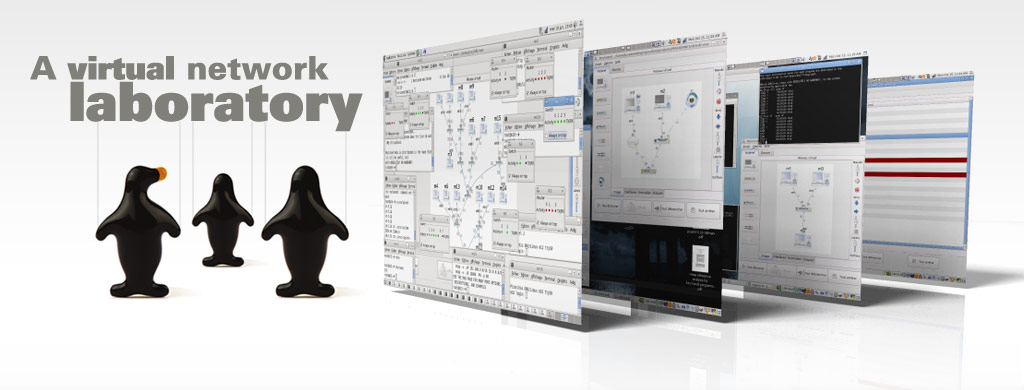
Marionnet is free software that recreates a local TCP/IP network (Ethernet, and soon Wi-Fi) on a GNU/Linux host. Its machines and routers are standalone systems, each booting its own kernel (User Mode Linux). Hubs, switches and cables are simulated by small programs on the host. You build the network in the graphical interface, then administer each machine from the command line, as in a networking lab.
Marionnet is primarily an educational tool: it is meant for teaching and learning computer networks and TCP/IP protocols. You can model an enterprise network with it, but that is not its purpose, which is why it does not imitate commercial equipment. Faithfully reproducing a vendor’s equipment (Cisco, Juniper, Huawei…) or a proprietary system (Windows, macOS) would require licences and, in a university setting, would advertise commercial products. Such systems would also need full virtualisation, such as KVM, which is much slower and more resource-hungry. By sticking to lightweight GNU/Linux systems, Marionnet stays fast and frugal.
Quick installation guide Full installation guide
Debian, Ubuntu, Fedora, Rocky Linux, AlmaLinux and openSUSE Leap 16: through apt, dnf or zypper, or with the installer.
In 2026, Marionnet installs from signed apt and dnf repositories, or with an installer. It reaches the real network through a NAT bridge (including IPv6) or a LAN bridge. It can be controlled by a script or by an AI, and it has an exam mode. A Linux 6.12 kernel and a Debian 13 image are now available alongside the older ones.
Each machine boots its own Linux kernel on its own file system. Standard tools such as ip, ping and tcpdump are available, as well as graphical programs such as Wireshark or a web browser, and you can run services.
The palette offers hubs, switches, routers, and straight or crossover cables. As in a physical lab, a cable can be unplugged and plugged in elsewhere while the network runs.

A NAT bridge or a LAN bridge joins the virtual network to the host’s network. Marionnet builds the bridge itself; the host’s administrator allows it once, with a sudoers rule.

You can simulate faults on device ports, such as packet loss. Exam mode records each student’s session, and a lab can later be replayed and graded by a script.
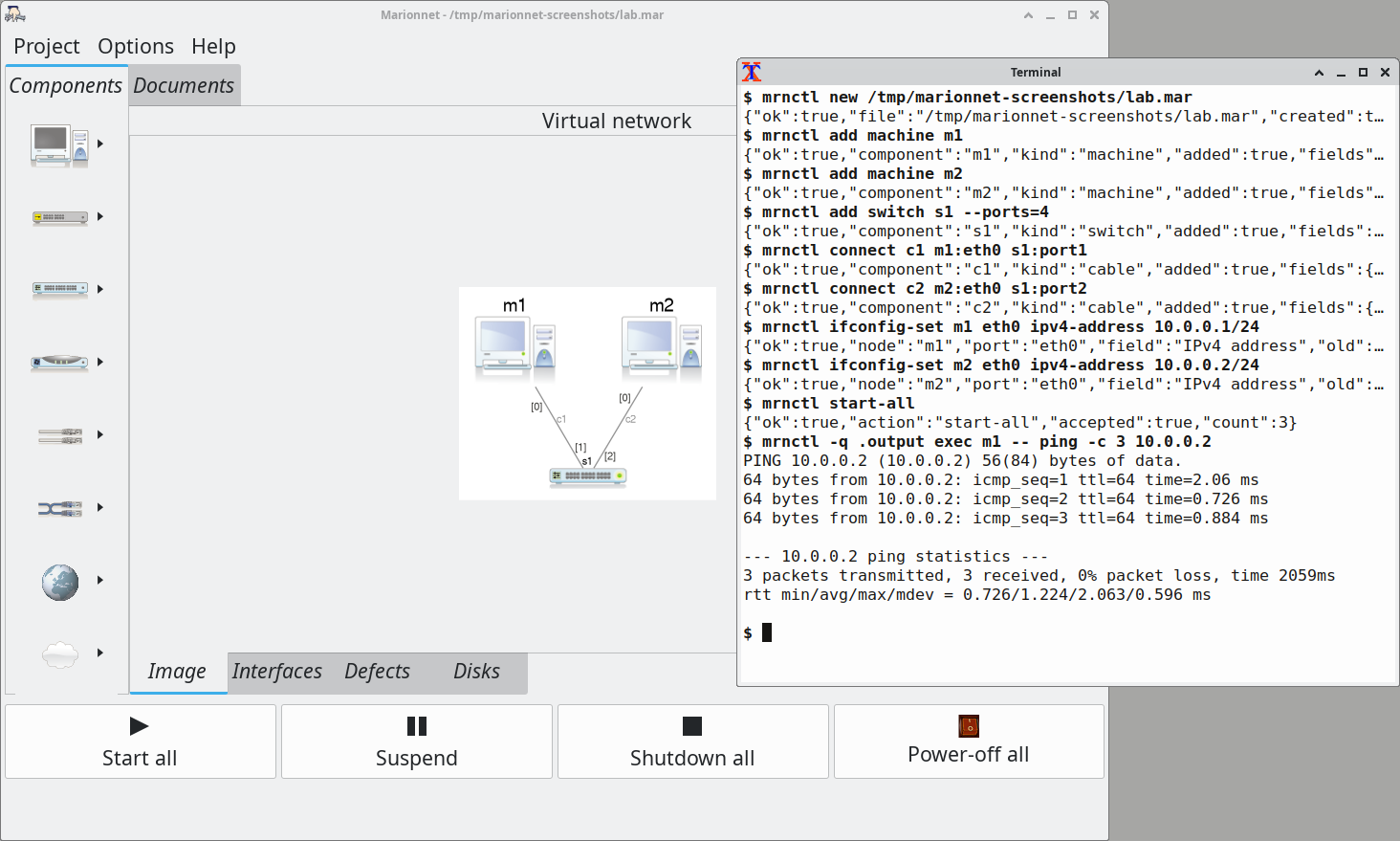
Started with the --control-socket option, Marionnet opens its window as usual, and the mouse still works in it. But it also accepts written commands at the same time, sent from a terminal with mrnctl: create machines, cable them, assign them IP addresses, start them, read what happens inside. Each command shows up in the window immediately, exactly as if it had been done with the mouse. Every answer is a line of JSON, so a script can drive Marionnet, and so can an AI agent that runs shell commands. Teachers therefore do not need to know these commands: the AI writes them, and the teacher follows along on screen. To guide the AI, Marionnet ships a skill, a guide written for the agent, which helps it design a lab with the teacher, run it, and grade the students’ sessions, exam mode included.
$ marionnet --control-socket /tmp/marionnet.sock &
$ mrnctl new /tmp/demo.mar
$ mrnctl add machine m1
$ mrnctl add machine m2
$ mrnctl add switch s1 --ports=4
$ mrnctl connect c1 m1:eth0 s1:port1
$ mrnctl connect c2 m2:eth0 s1:port2
$ mrnctl ifconfig-set m1 eth0 ipv4-address 10.0.0.1/24
$ mrnctl ifconfig-set m2 eth0 ipv4-address 10.0.0.2/24
$ mrnctl start-all
$ mrnctl exec m1 -- ping -c 3 10.0.0.2
Marionnet was created at LIPN, the computer science laboratory of Université Paris 13 (now Sorbonne Paris Nord), to teach networking at the IUT de Villetaneuse and at the Institut Galilée. It is written by Jean-Vincent Loddo and Luca Saiu. Used in lab sessions at these two institutes since 2007, it was then adopted by other departments and universities in France, and it has also been used abroad, from Italy to Brazil and the United States. Its interface is now available in thirteen languages: the original English and twelve translations. Volunteers had started about ten of these translations; they were completed in 2026, and the missing ones were added at the same time.