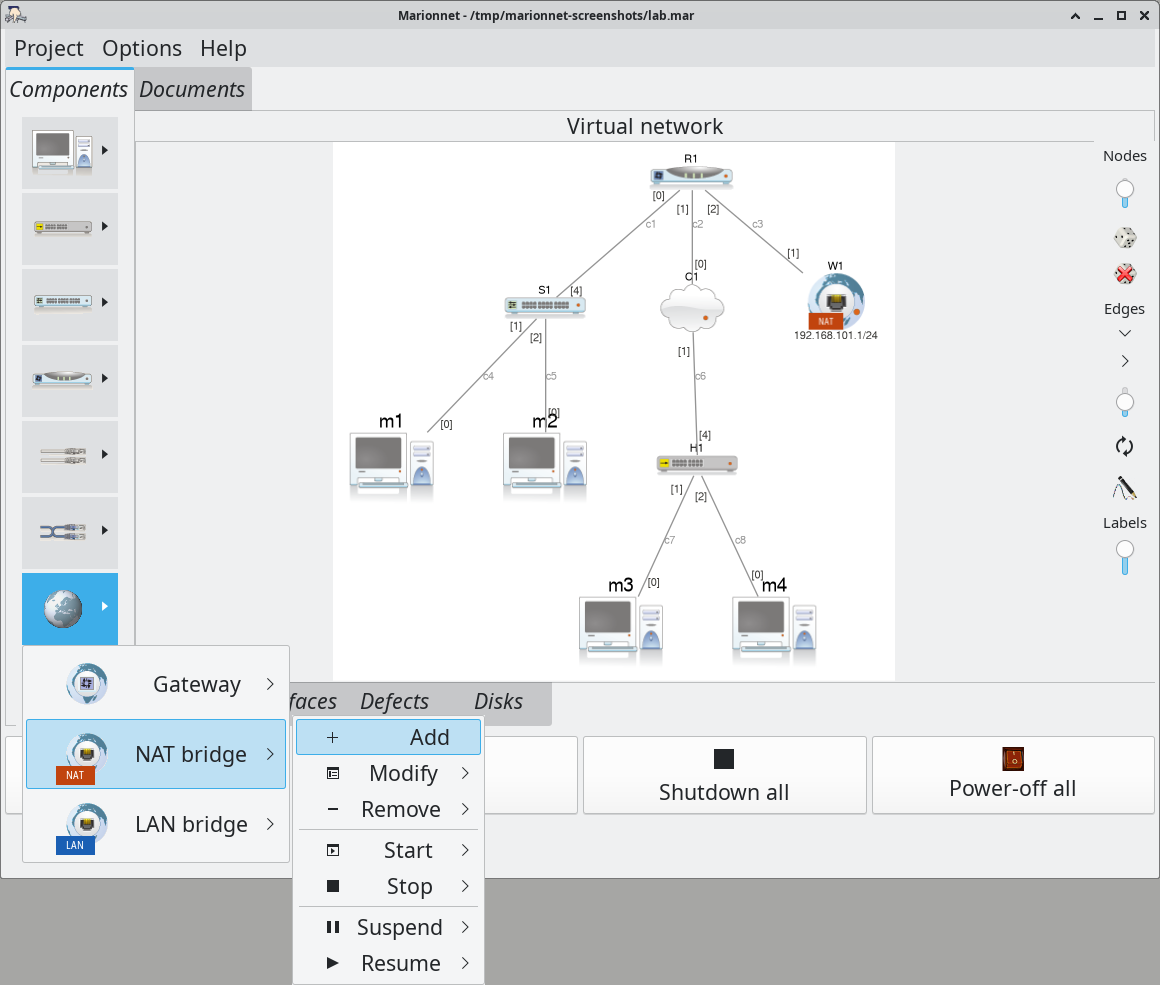
These screenshots show the interface of Marionnet as it is in November 2026. They are captured
from the running software itself, driven by a script, with its English interface. Click an image to open it at full size.
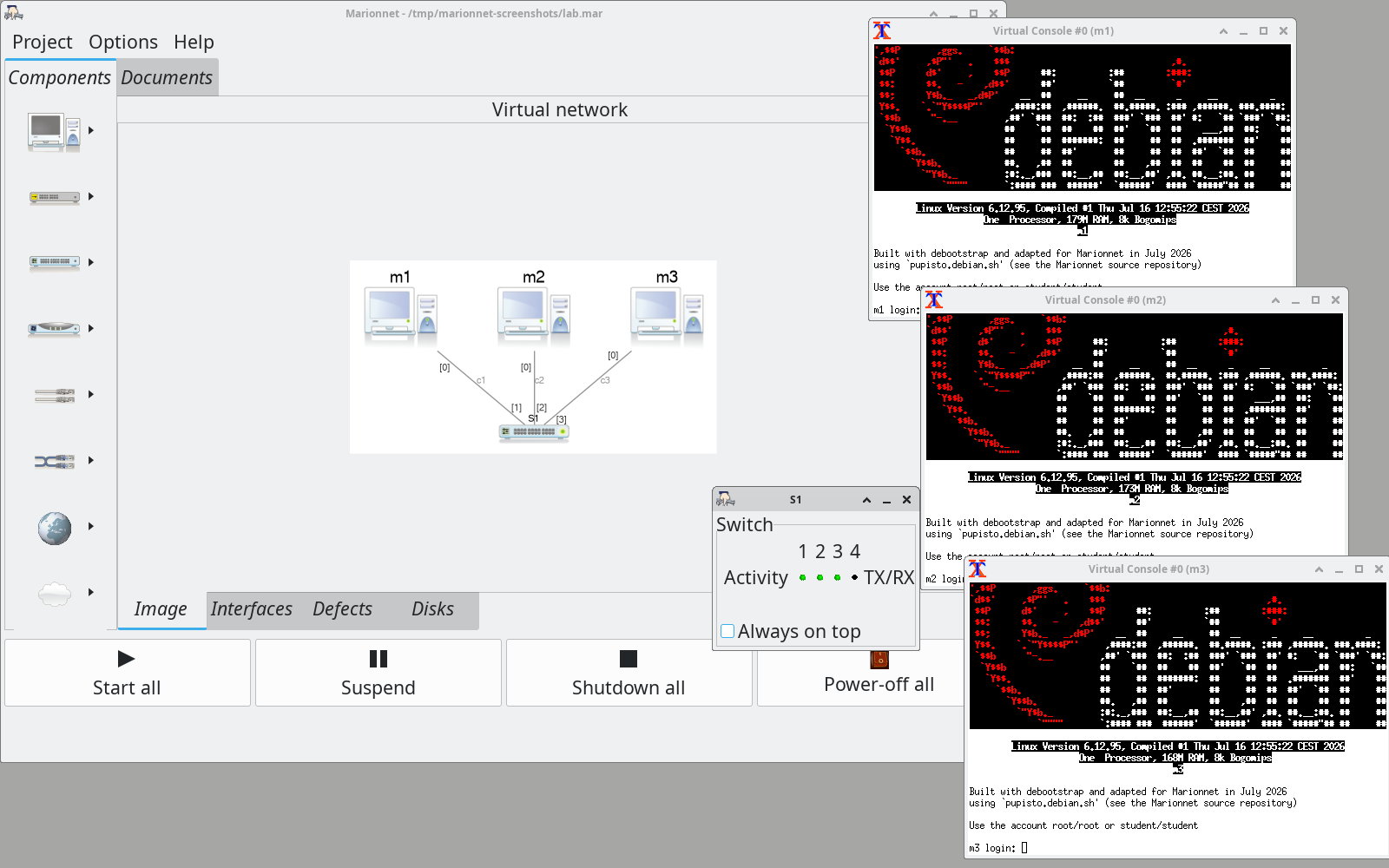
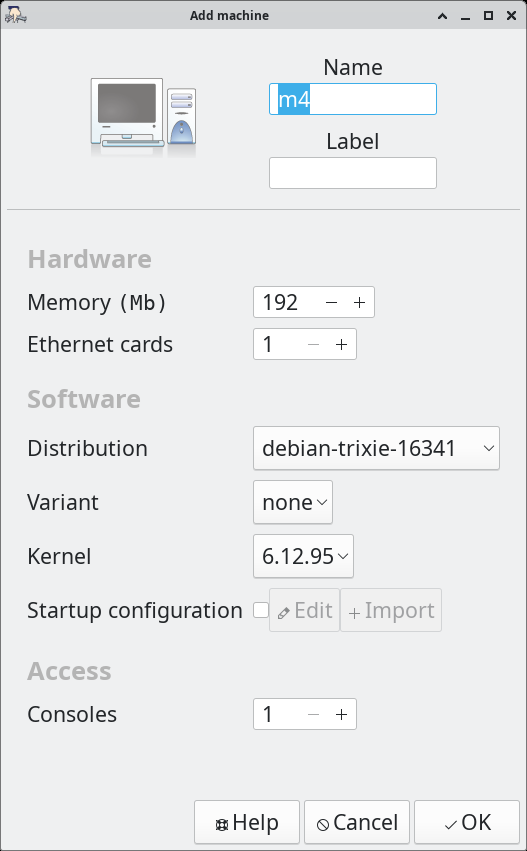
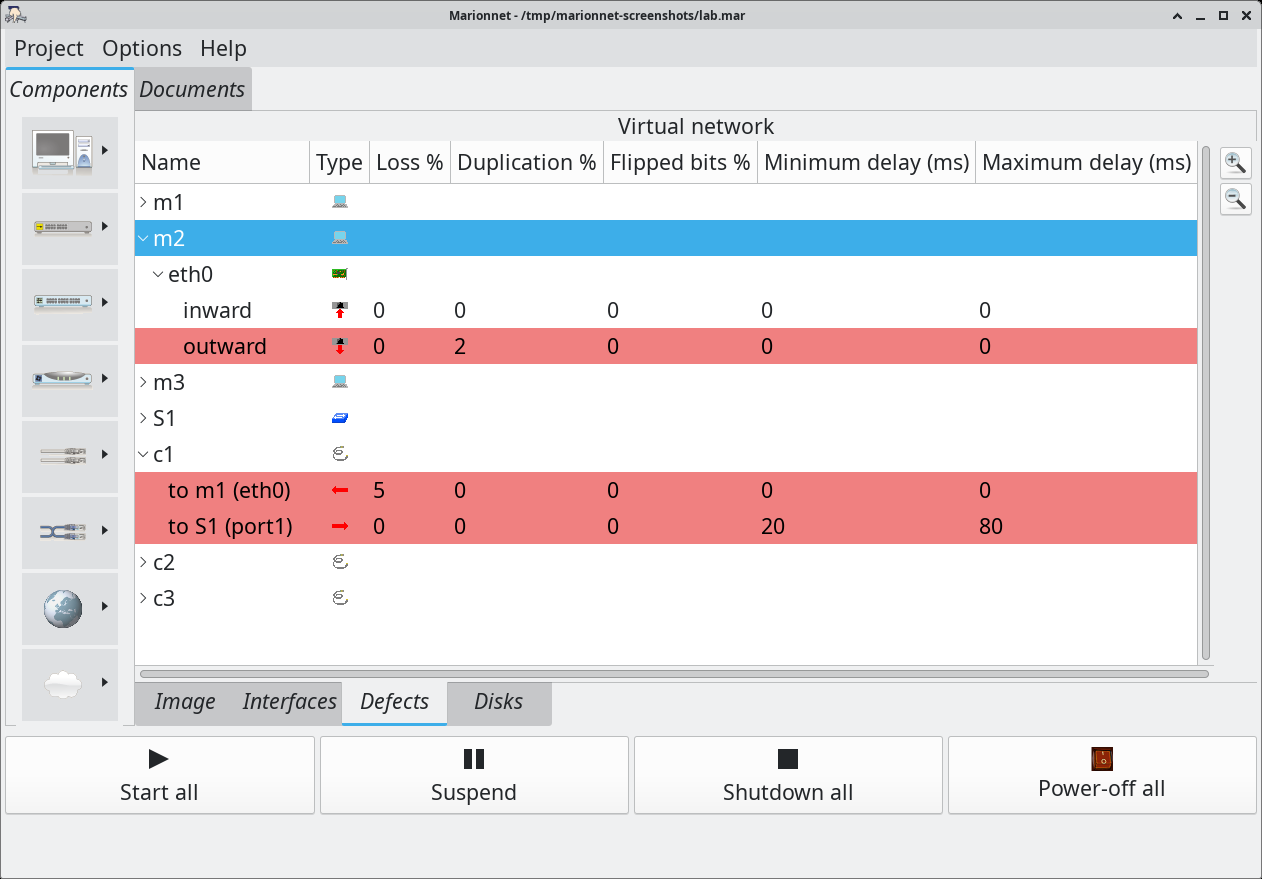
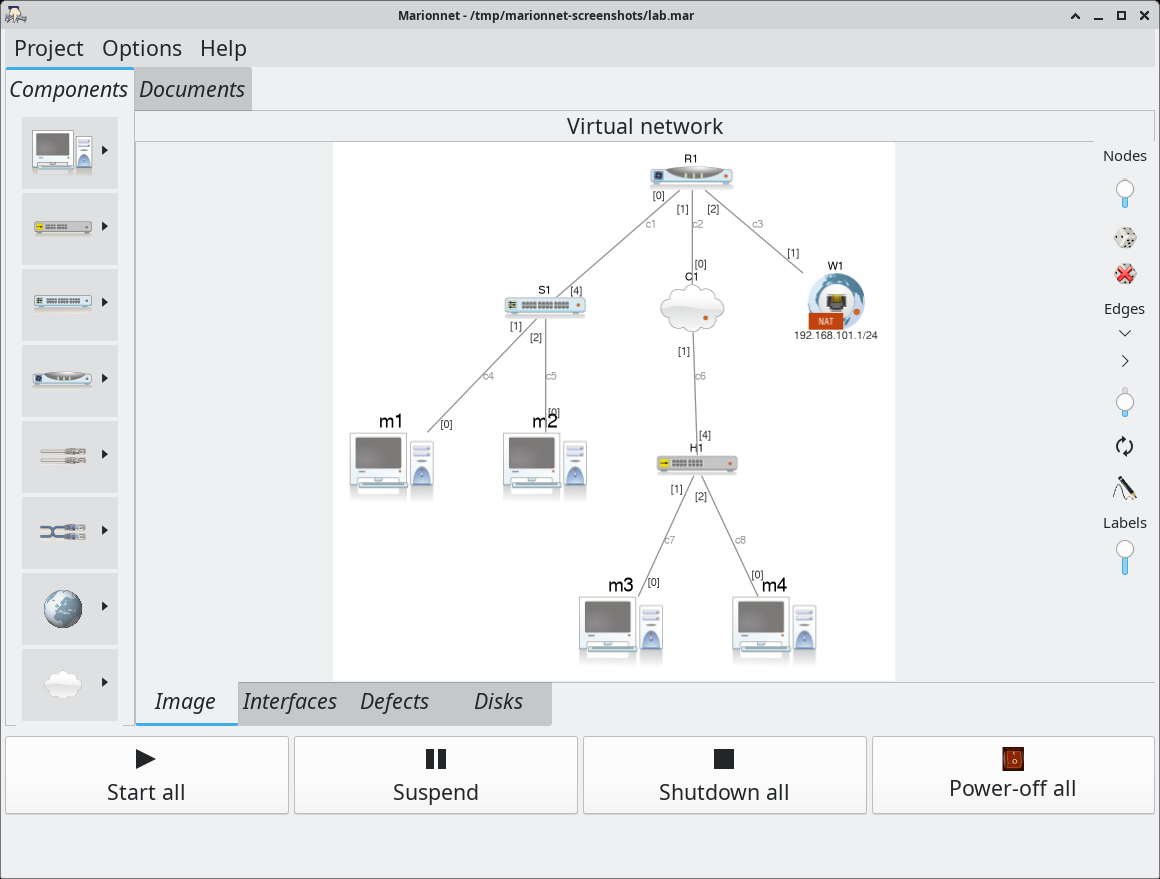
A simple session: three machines and a switch, all running. Each machine has its console, where you log in as on a real Debian system; the small window of the switch shows the activity of its ports.The dialog that adds a machine: its memory, its number of Ethernet cards, the distribution and the kernel it boots, an optional startup configuration.Defects on a cable and on an interface (Defects tab): cable c1 loses 5 % of the frames one way and delays them by 20 to 80 ms the other way; interface eth0 of m2 duplicates 2 % of the frames it sends. Rows in red have a defect set.A richer network: router R1 connects a switched local network (S1, m1, m2), a second network, behind a hub, reached through a cloud (C1, H1, m3, m4), and a NAT bridge to the real network. The diagram is laid out automatically.Access to the real network: through three devices, Gateway, NAT bridge and LAN bridge, offered by the planet button of the palette. See What’s new in 2026.